Release Notes 27.3.18246.0 | June 04, 2026
Requirements
Business Central application platform 27.3 or higher.
MDC web server files version 4.18321.0 (download the files here)
Enhancement
Improve MDC Consumption
ID: 15770
This enhancement introduces the the following improvements to the MDC consumption process:
1. Show Box Enhancement
- Added Expected Quantity and Remaining Quantity fields to the Show Box on both the Consumption and Consumption with LP pages.
- The Remaining Quantity is automatically updated whenever a consumption transaction is posted.
- This enhancement allows users to track the remaining quantity required to complete the consumption process and provides better visibility during production consumption operations.
2. Default Consumption Quantity (LP)
- Added a new field, Default Consump. Qty (LP), to the Mobile Data Collection Setup page.
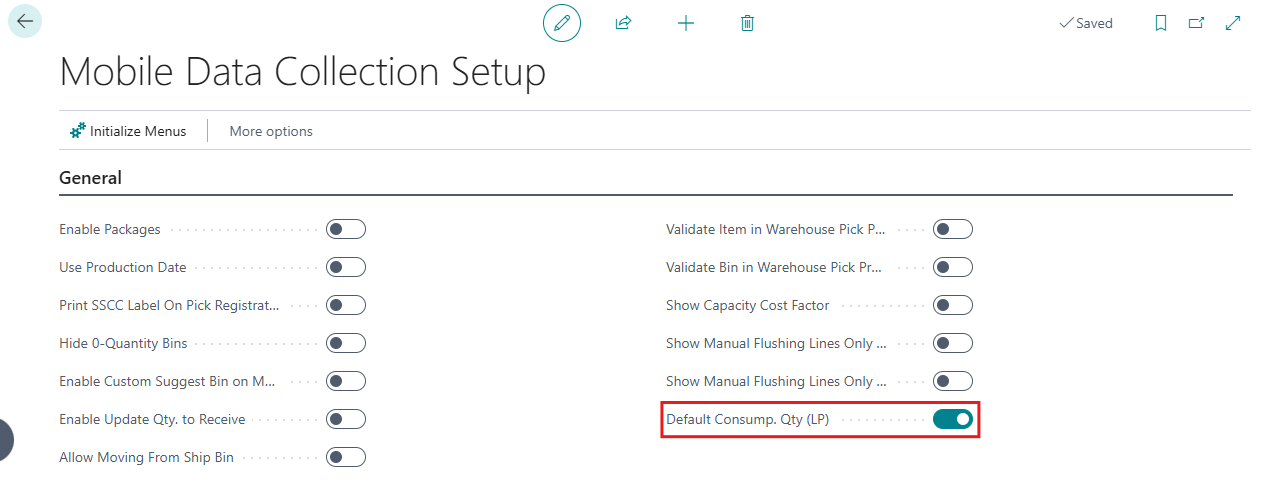
- When enabled, after a package (LP) is scanned on the Consumption page of the Consumption with LP feature, the Quantity field is automatically populated with the full quantity contained in the scanned package for the selected lot, even if the remaining quantity is less than the package quantity.
- If disabled, the quantity field is populated based on the remaining quantity to be consumed.
Fixes
1. Browser Refresh Handling for Purchase Orders and Warehouse Receipts Pages (ID: 15613 )
- Resolved an issue where the Purchase Order and Warehouse Receipt pages could become blank when the browser Refresh or Back button was used.
- This issue could occur when users accidentally clicked the browser Refresh button or used the browser Back button instead of the page navigation controls, particularly after encountering an error.
- With this improvement, users are automatically redirected to the Purchase Order List or Warehouse Receipt List page, respectively, preventing blank screens and providing a smoother navigation experience.
2. Login Performance and Recovery Improvements (ID: 15612)
- Resolved an issue that caused a delay during the login process.
- With this enhancement, login performance has been improved, resulting in a smoother and faster sign-in experience.
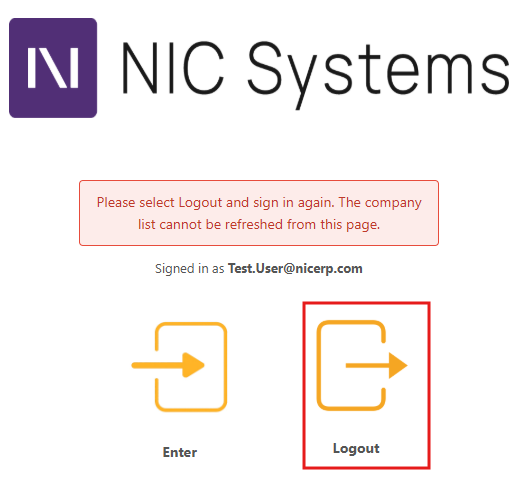
- Added a Logout action to the Login page to help users recover from login-related issues.
- This resolution is particularly useful when users encounter issues such as permission errors, incorrect credentials, or other login-related problems that cause them to become stuck on the Login page. Users can now select Logout and sign in again with the correct username and password. The Logout action is displayed only when a login error occurs.